| • |
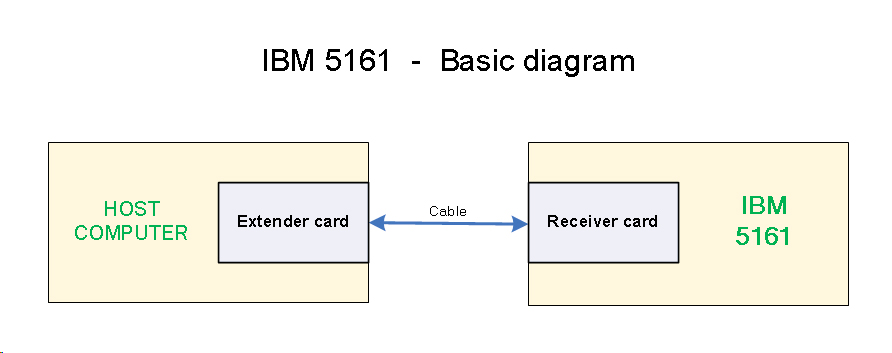
Basic diagram at here. |
| |
|
| • |
You cannot treat the 5161 as a second computer. From a slot perspective, you treat it as an extention of the host computer. It is almost as though you are adding extra expansion slots to the host computer. |
| |
|
| • |
Memory (ROM/RAM) operations are slowed by the extender card and receiver card and cable. Because of that, IBM require that a wait state be invoked for operations involving any memory in the 5161. This is controlled by switches on the extender card. |
| |
|
| • |
According to IBM, in the 5161, the receiver card goes into slot 8. (IBM quote: "The receiver card is a four-plane card that fits in expansion slot 8 of the expansion unit.") |
| |
|
| • |
If you attaching the 5161 to an IBM 5150, then the 5150's motherboard BIOS needs to be at the final revision, the one dated 10/27/82. See here. |
| • |
If you attaching the 5161 to an IBM 5150, then the extender card can go into any of the 5150's five expansion slots. |
| |
|
| • |
If you attaching the 5161 to an IBM 5160, then the extender card can go into any 5160 expansion slot except slot 8. |
| |
|
| • |
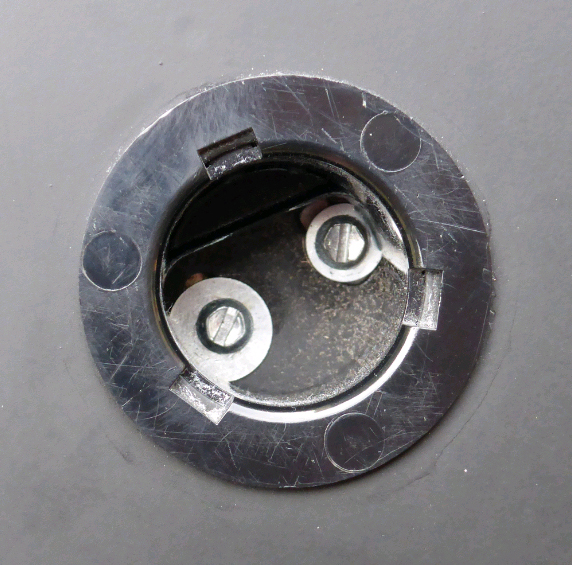
Some of the securing screws for the drives are accessed via a well that is on the 5161's underside. Photo at here. |